
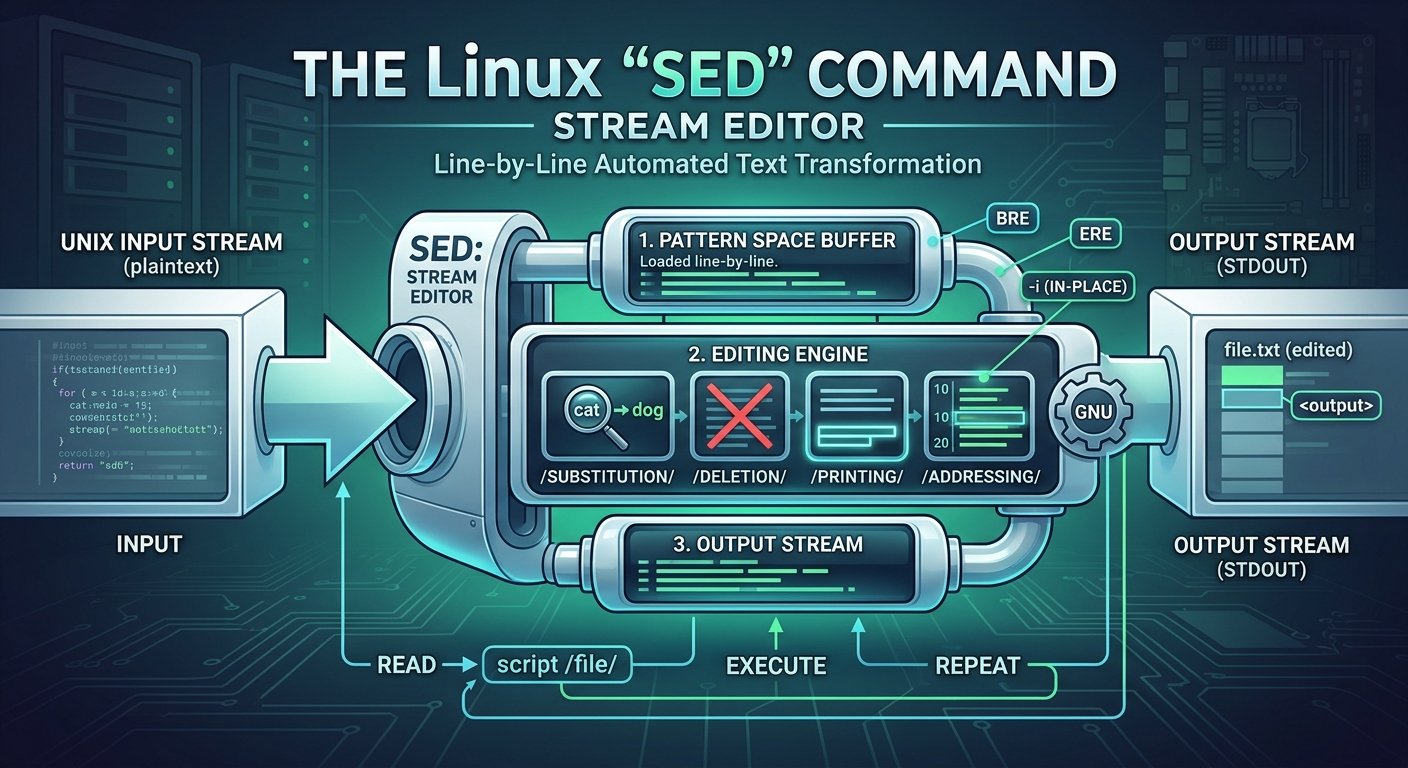
The sed command, short for stream editor, is one of the most powerful and versatile text-processing utilities available in Unix and Linux environments. First developed by Lee E. McMahon at Bell Labs in 1974, sed was designed to implement features inspired by the interactive text editor ed and the grep pattern-searcher, but optimized for automated, non-interactive text manipulation.
Unlike traditional text editors where you open a file in a graphical or terminal interface and manually make changes, sed operates by reading an input stream (either from a file or standard input), applying a series of user-defined rules and filters to each line, and sending the modified output to standard output. This unique capability makes it an indispensable tool for shell scripts, system administration, log analysis, and batch text processing.
For a deep dive into the official documentation, you can review the GNU Sed Manual.
What sed Is Used For
Because sed processes data line-by-line efficiently without loading entire massive files into memory, it is used across a wide spectrum of tasks. Some of the most common applications include:
- Text Substitution: Finding specific words, phrases, or patterns within a file and replacing them with new text.
- Line Selection and Extraction: Printing, deleting, or extracting specific ranges of lines based on line numbers or regular expression matches.
- In-Place Editing: Modifying configuration files directly on disk without needing to manually open them or create complex temporary files.
- Log Sanitization and Parsing: Cleaning up messy log files by stripping out unwanted headers, timestamps, or sensitive data.
- Automated Refactoring: Performing uniform code refactoring across dozens or hundreds of source code files simultaneously.
To learn more about practical real-world scenarios, check out this comprehensive DigitalOcean Tutorial on Sed.
How to Use sed: Syntax and Core Concepts
The fundamental syntax of the sed command follows this structure:
Bash
sed [options] 'script' [input-file]
options: Modifiers that change howsedbehaves (e.g.,-nfor silent mode,-ifor in-place editing).script: The command or set of commands instructingsedon what operations to perform.input-file: The file being processed. If omitted,sedreads from standard input (stdin).
1. Basic Text Substitution (s command)
The most frequent use of sed is substitution, represented by the s command. By default, sed replaces only the first occurrence of a pattern on each line.
Bash
sed 's/apple/orange/' fruits.txt
If you want to replace every occurrence on a line, you must append the global (g) flag:
Bash
sed 's/apple/orange/g' fruits.txt
2. In-Place File Editing (-i option)
By default, sed outputs results to your terminal screen, leaving the original file untouched. To save changes directly to the file, use the -i (in-place) option:
Bash
sed -i 's/localhost/127.0.0.1/g' /etc/config.conf
(Tip: You can back up the original file automatically by passing an extension, such as sed -i.bak ..., which is a safe practice when editing critical configurations.)
3. Printing Specific Lines (-n and p)
Using the -n option suppresses automatic printing of all lines. You can combine it with the p (print) command to display only specific lines or line ranges:
Bash
# Print only line 5
sed -n '5p' document.txt

# Print lines 10 through 20
sed -n '10,20p' document.txt
4. Deleting Lines (d command)
You can remove unwanted lines on the fly—such as blank lines or comment lines starting with #:
Bash
# Delete blank lines
sed '/^$/d' input.txt

# Delete lines matching a pattern
sed '/DEBUG/d' app.log
For step-by-step examples covering advanced expressions, explore the Linuxize Sed Guide.
Advanced Features and Regular Expressions
sed supports Extended Regular Expressions (ERE) when using the -E or -r flags, allowing for powerful pattern matching. For instance, you can group patterns, match digits using character classes like [0-9], or use anchors like ^ (start of line) and $ (end of line).
You can also chain multiple commands together using semicolons or the -e flag:
Bash
sed -e 's/cat/dog/g' -e 's/fish/bird/g' zoo.txt
To see more advanced use cases, multi-command scripts, and cheat sheets, visit the GeeksforGeeks Sed Command Tutorial.
Conclusion
The sed command is an essential pillar of the Linux toolkit. Its blend of high performance, concise syntax, and powerful stream-editing capabilities makes it an indispensable skill for developers, system administrators, and DevOps engineers alike. Whether you are executing a quick one-liner to fix a typo across multiple files or parsing multi-gigabyte log files in a shell script, mastering sed drastically streamlines text processing workflows.